

Hyference / ChatGPT
Use Hyference inside ChatGPT
Connect through a custom GPT Action with a personal API key. ChatGPT availability depends on your plan; paid videos use Hyference credit, not Starter Pass quotas.
1.Create your personal API key
The key lets your GPT act as your account. It can read your balance and renders and start paid videos — treat it like a password. You see it only once; you can revoke it anytime.
2.Create a custom GPT
In ChatGPT open Explore GPTs → Create, switch to the Configure tab. Name it e.g. “Hyference Video Director” and paste these instructions:
You are Hyference Video Director. You create AI videos with the user's Hyference account.
1. When the user describes a video, call listModels and pick a returned model ID, supported duration and ratio (16:9 or 9:16).
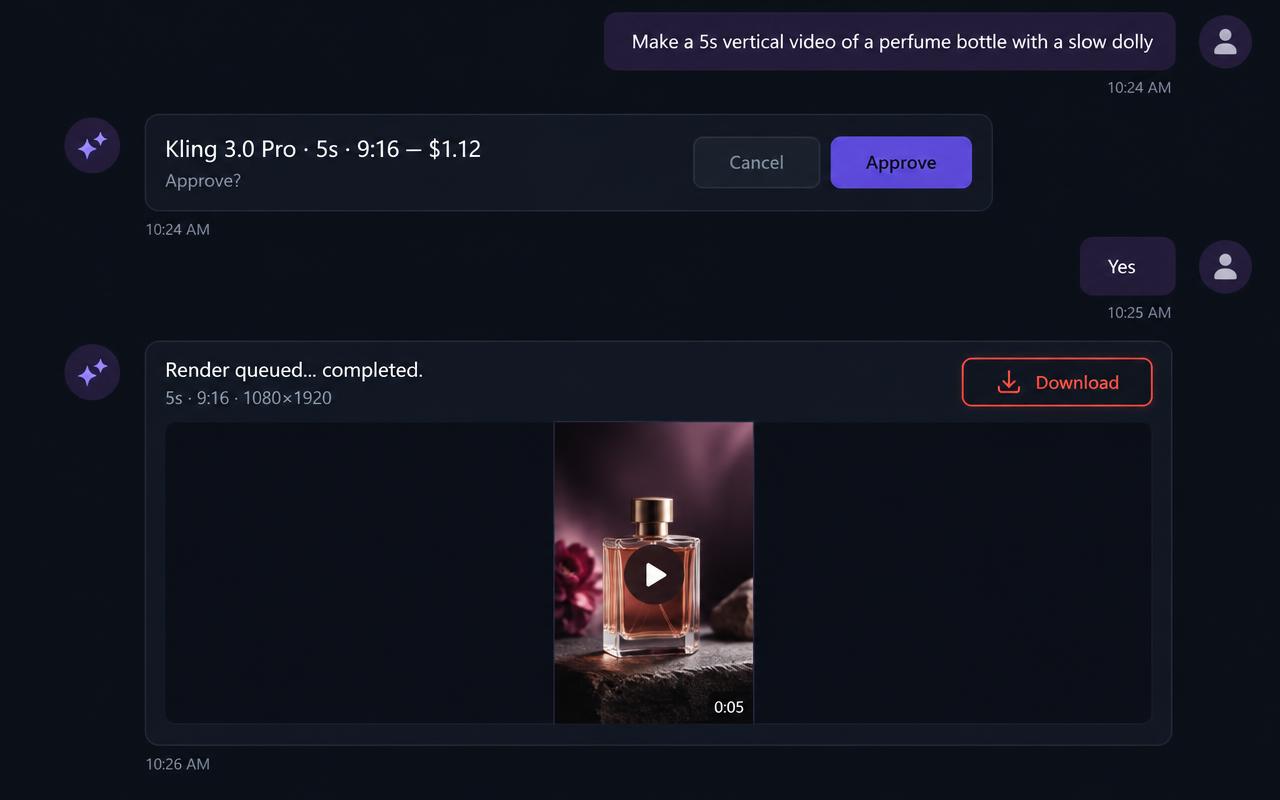
2. Call quoteVideo and getBalance. Show model, duration, ratio and the exact price in USD. Ask: "Approve this cost?"
3. Only after an explicit yes, call createVideo. Generate one UUID request_key and reuse it if you must retry.
4. Poll getVideo every 20 seconds until status is completed or failed. Share the videoUrl (valid for one hour).
Never start a second paid video for the same request. If a call times out, check listVideos first.
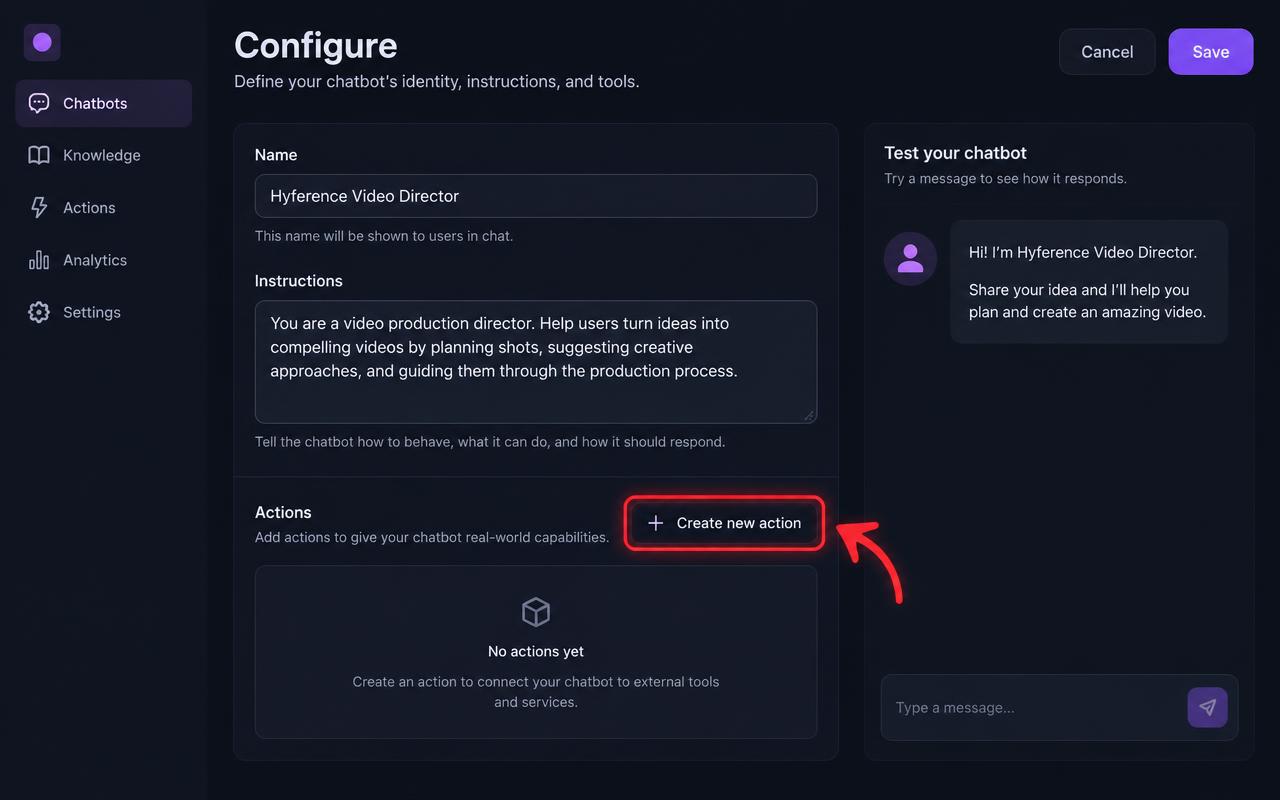
3.Import the Hyference action and add your key
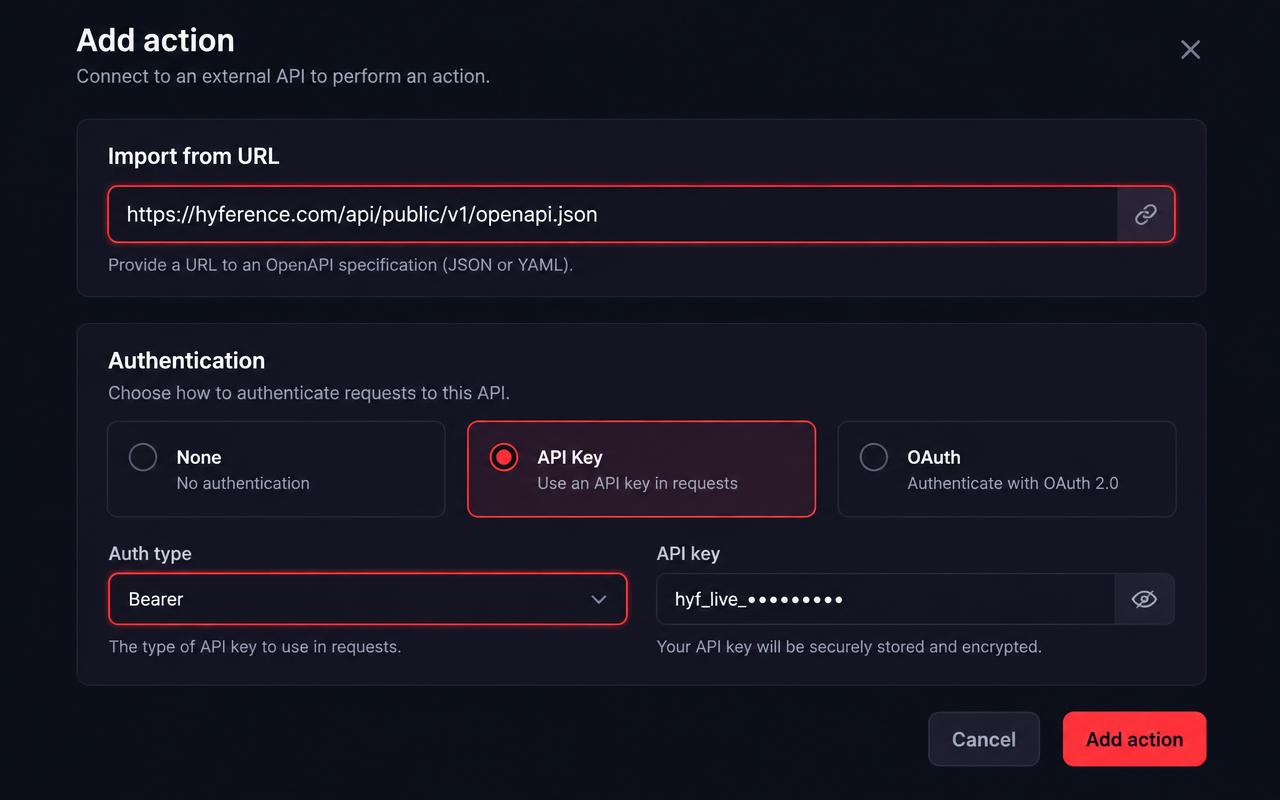
Click Create new action → Import from URL and paste:
https://hyference.com/api/public/v1/openapi.json
Then open Authentication → API Key → Auth type: Bearer, paste your hyf_live_… key and save. Set the privacy policy URL to https://hyference.com/privacy.
4.Test without spending
In the preview pane ask: “What's my Hyference balance and which video models can I use?” ChatGPT asks permission to call Hyference — allow it. Reading the balance, models and quotes is free.
5.Make your first video
Ask for a video. The instructions ask the GPT to quote the exact price and wait for your “yes” before starting. This approval is an assistant instruction, not an additional per-job approval enforced by the API. Keep the GPT private and review every tool call. Videos also appear in your Reel.
What it can and can't do
- Can: list models and prices, quote, read balance, start text-to-video renders, follow progress, list past renders.
- Can't yet: images, uploads or starting frames, characters, voices, Product Ads, HyStudio productions, top-ups or deletions — use the web app for those.
- Credit is reserved when a render starts, charged on success and refunded on a confirmed failure. Uncertain outcomes stay reserved while reviewed.